EMCA VISION

Video analysis for EMCA research

See who looks where, who speaks, and how they stand, on one timeline.

EMCA Vision is a Mac app for ethnomethodological and conversation analytic research on video. It finds the participants in a recording, maps their positions, formations and gaze, and lines them up with your transcript, so you can return to a moment and follow an interaction across talk, gaze and space. Everything runs on your own computer.

macOS on Apple silicon · free · MIT licence

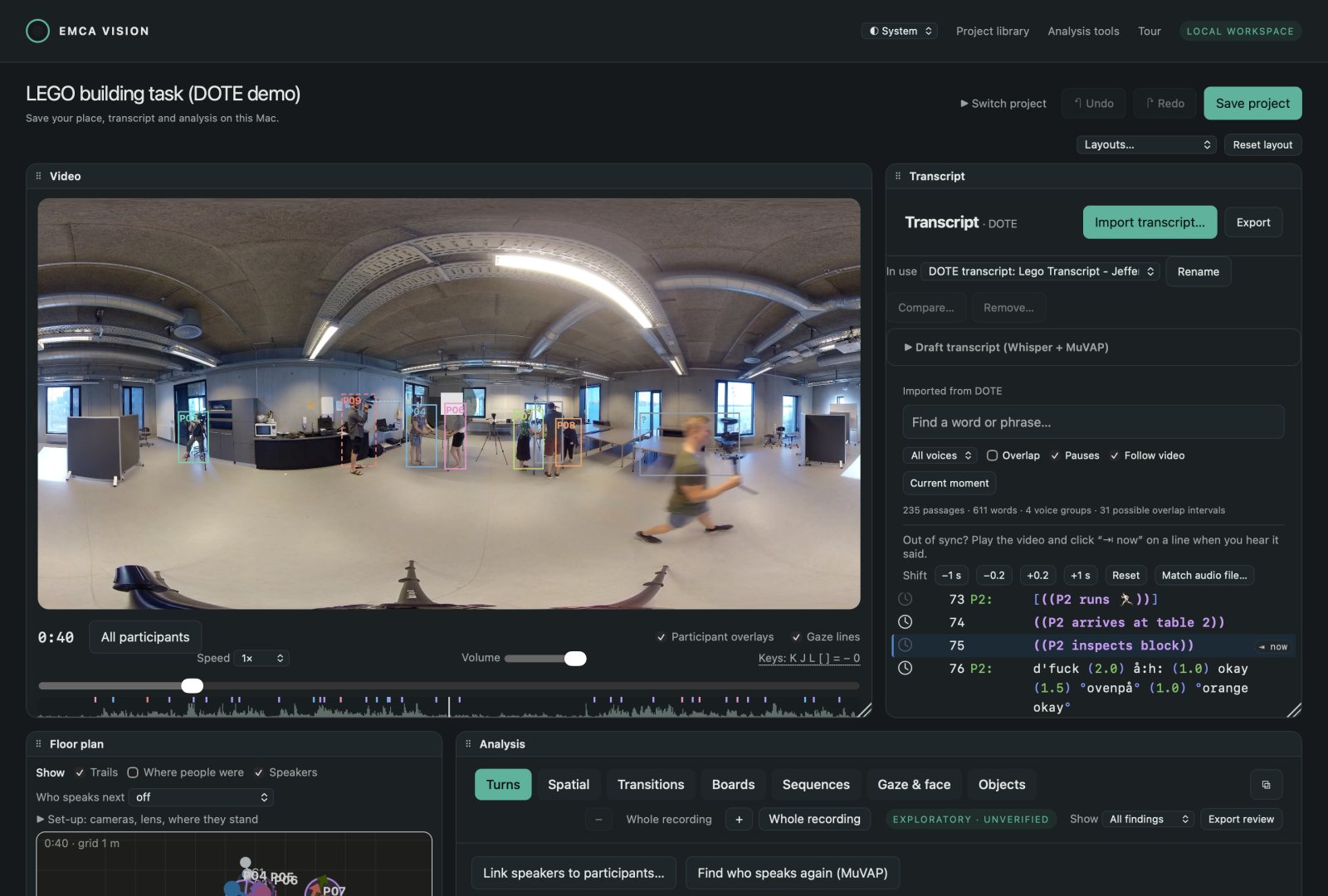
The EMCA Vision workspace with a 360 degree recording of a room: nine people outlined and labelled, the transcript beside it

The LEGO building task (Davidsen, Thomsen & McIlvenny, 2020): five cameras, three of them 360°, every person found and followed, and the Jeffersonian transcript beside the video.

What it does

Talk, gaze and space, lined up

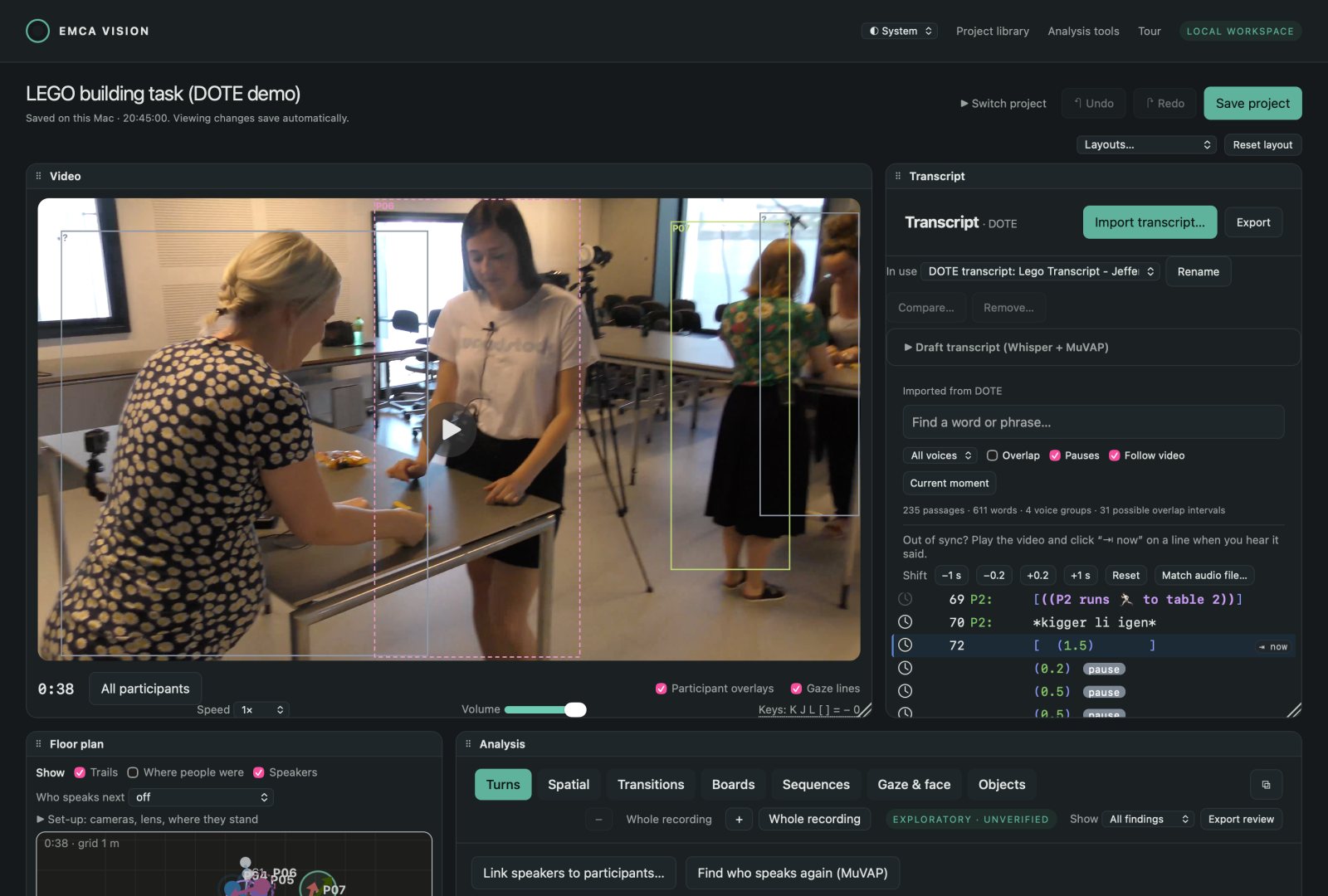
The workspace on a flat camera: three participants building with LEGO at a table, outlined, with the transcript beside

Participants, followed through the recording

Body and face points for every person in one or more cameras, including 360° video. People are matched across cameras and moments, and you can merge, remove or add participants by hand. Everything else builds on these labels.
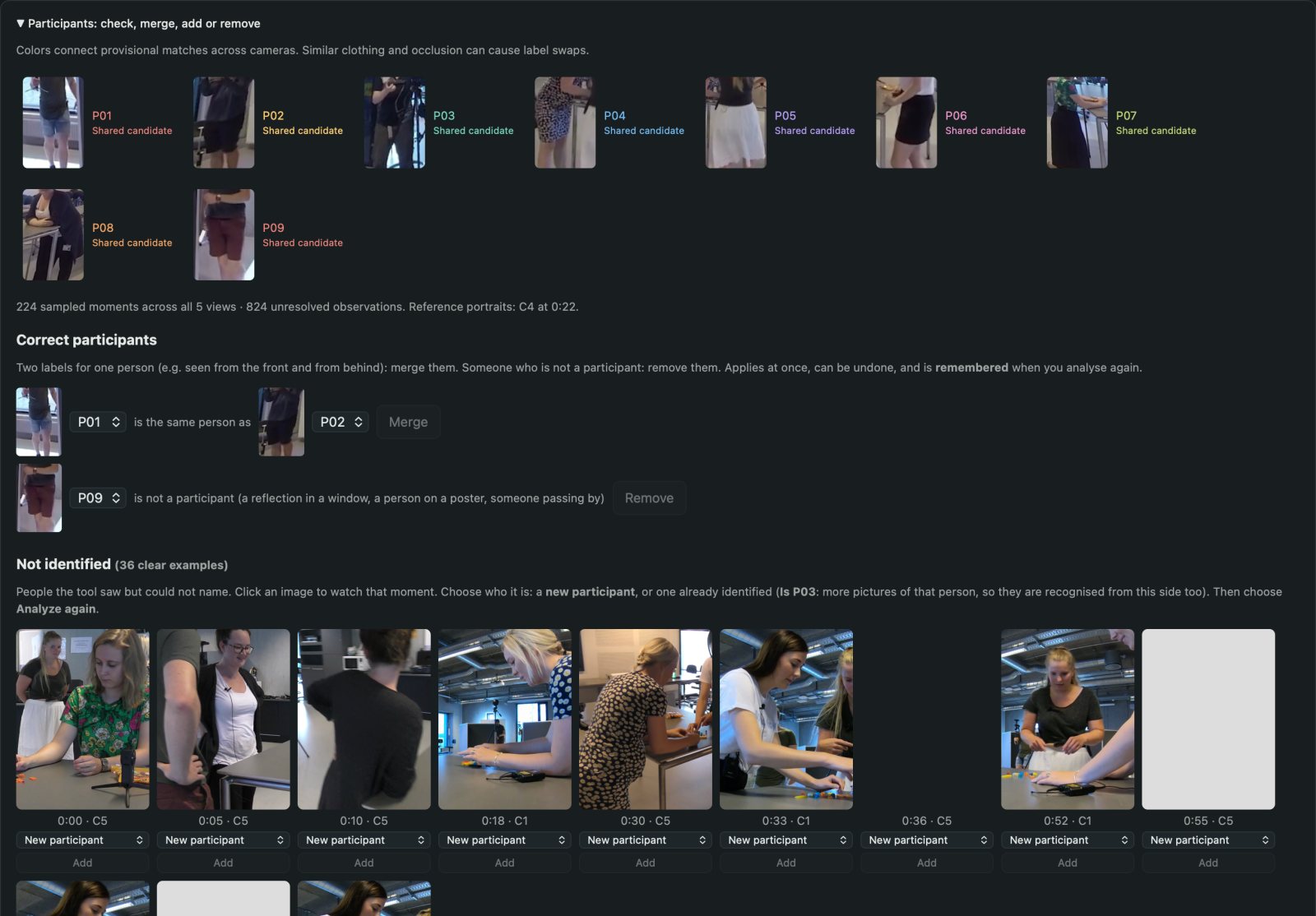
Participant pictures with merge and remove controls

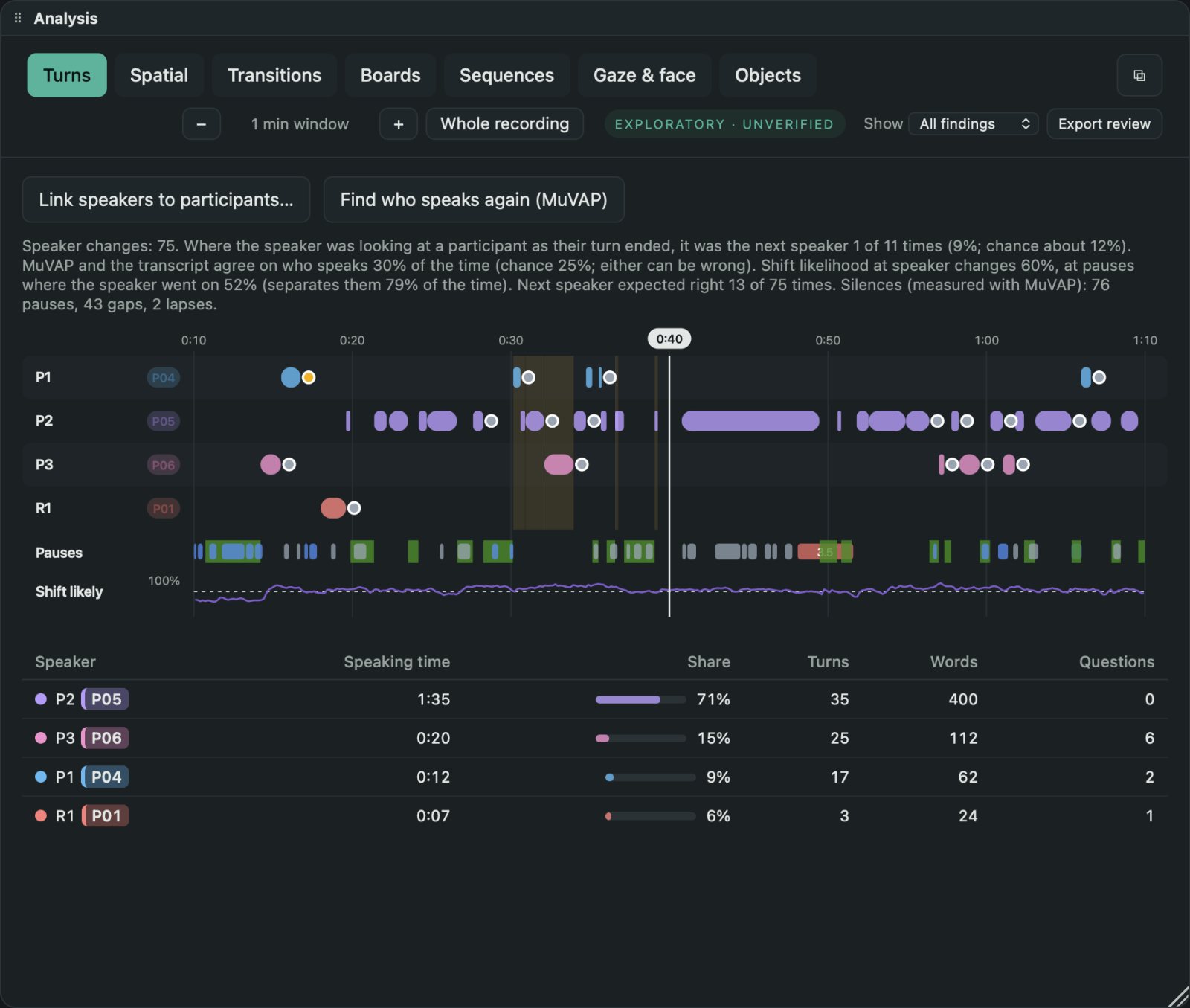
Turns, and who speaks

Import a DOTE transcript, subtitles or a speech recogniser's output. Link speakers to participants (MuVAP, an audio-visual speaker model, suggests the links by watching faces and listening), see turns, pauses, gaps and lapses, and where the speaker looked as the next speaker took over.

The Turns timeline: speaker rows, pauses, gaps and the likelihood of a change of speaker

Floor plan and F-formations

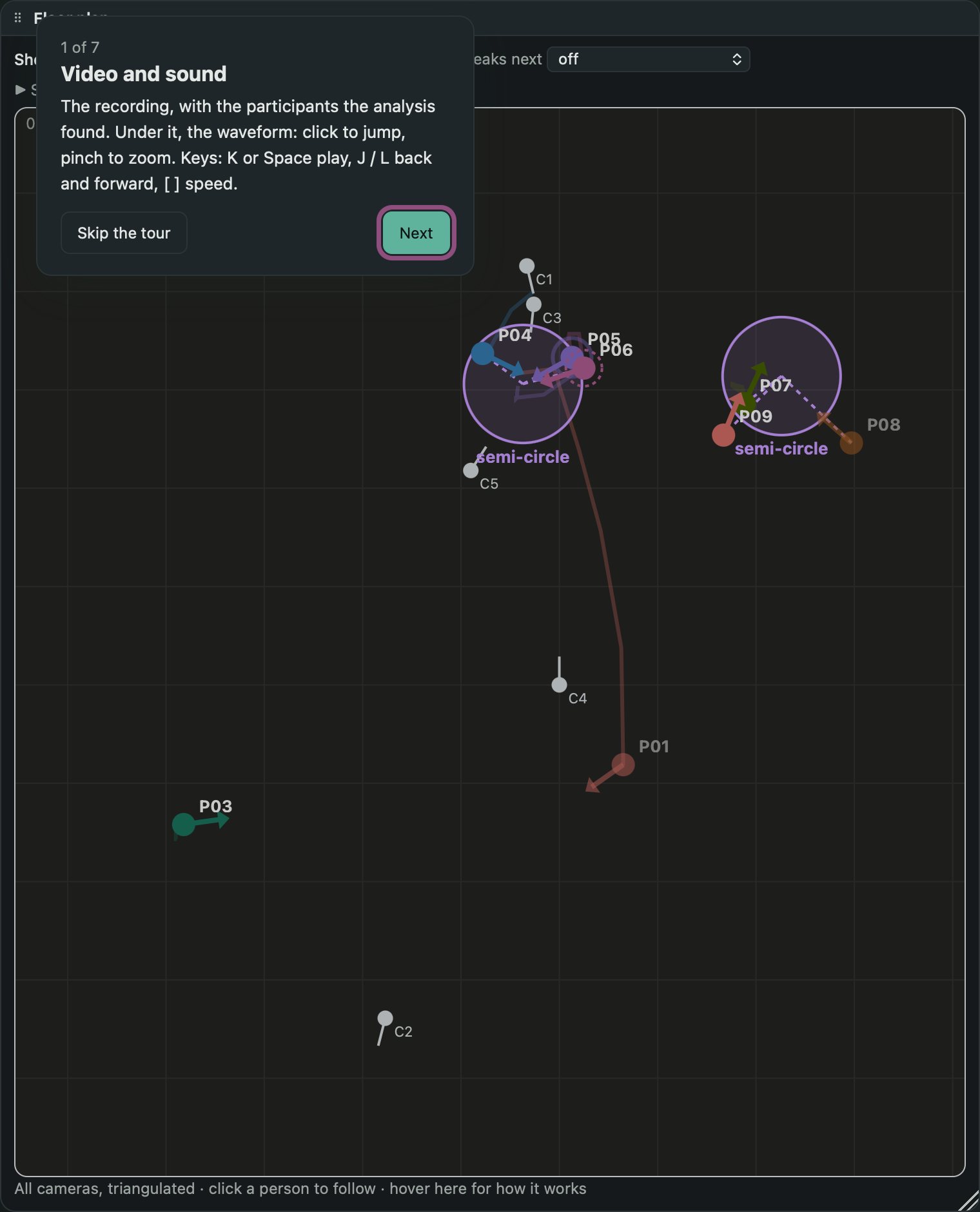
The participants seen from above, with their orientation, the groups they form around a shared space (vis-à-vis, L-shape, side-by-side, circle) and how these change over time.

Floor plan from above with two groups in semi-circles and the cameras

Gaze, smiles and laughter

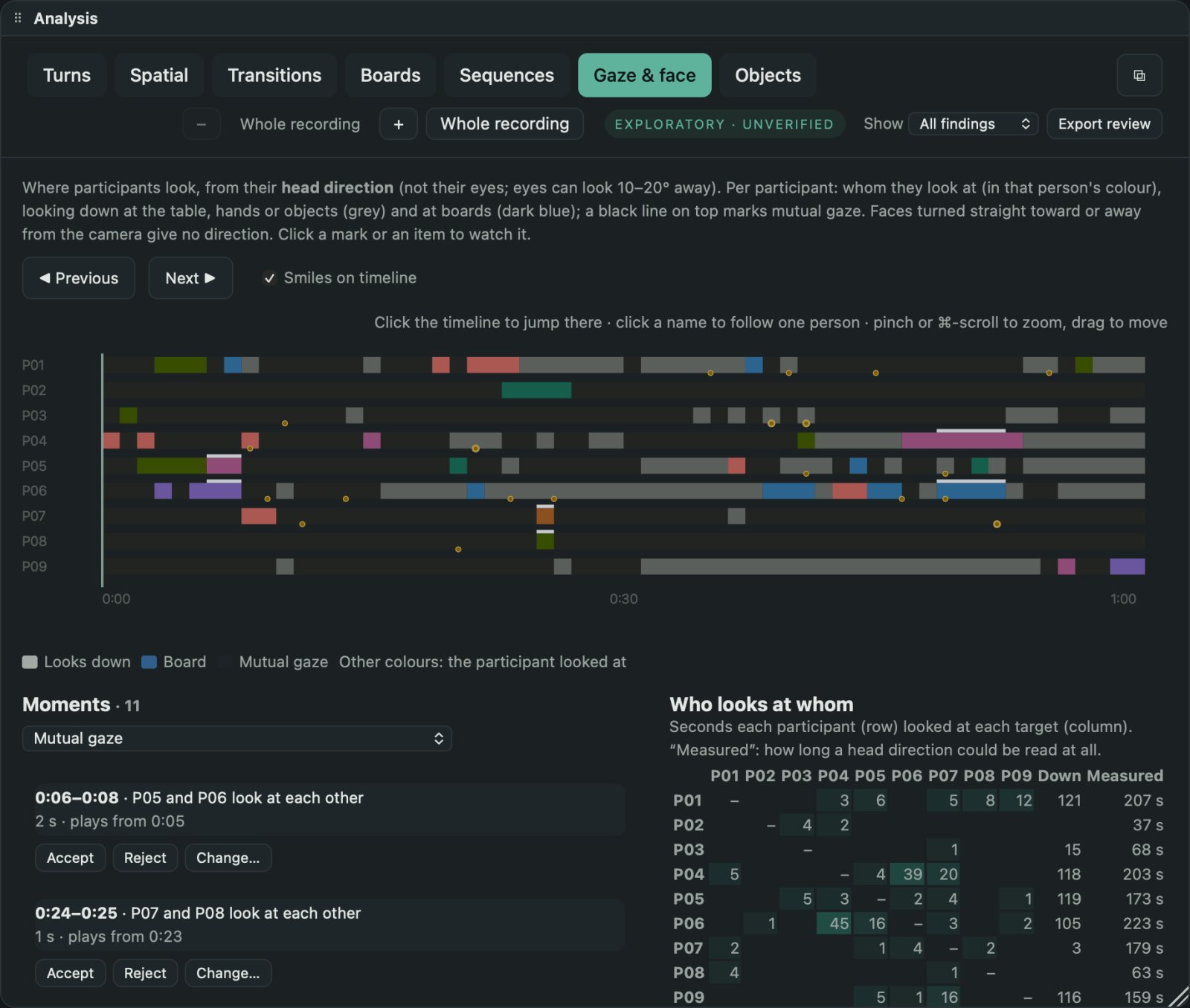
Head direction for every participant, mutual gaze, what or whom they look at, and moments of smiling and laughing, as candidates on a timeline.

Gaze and face timeline

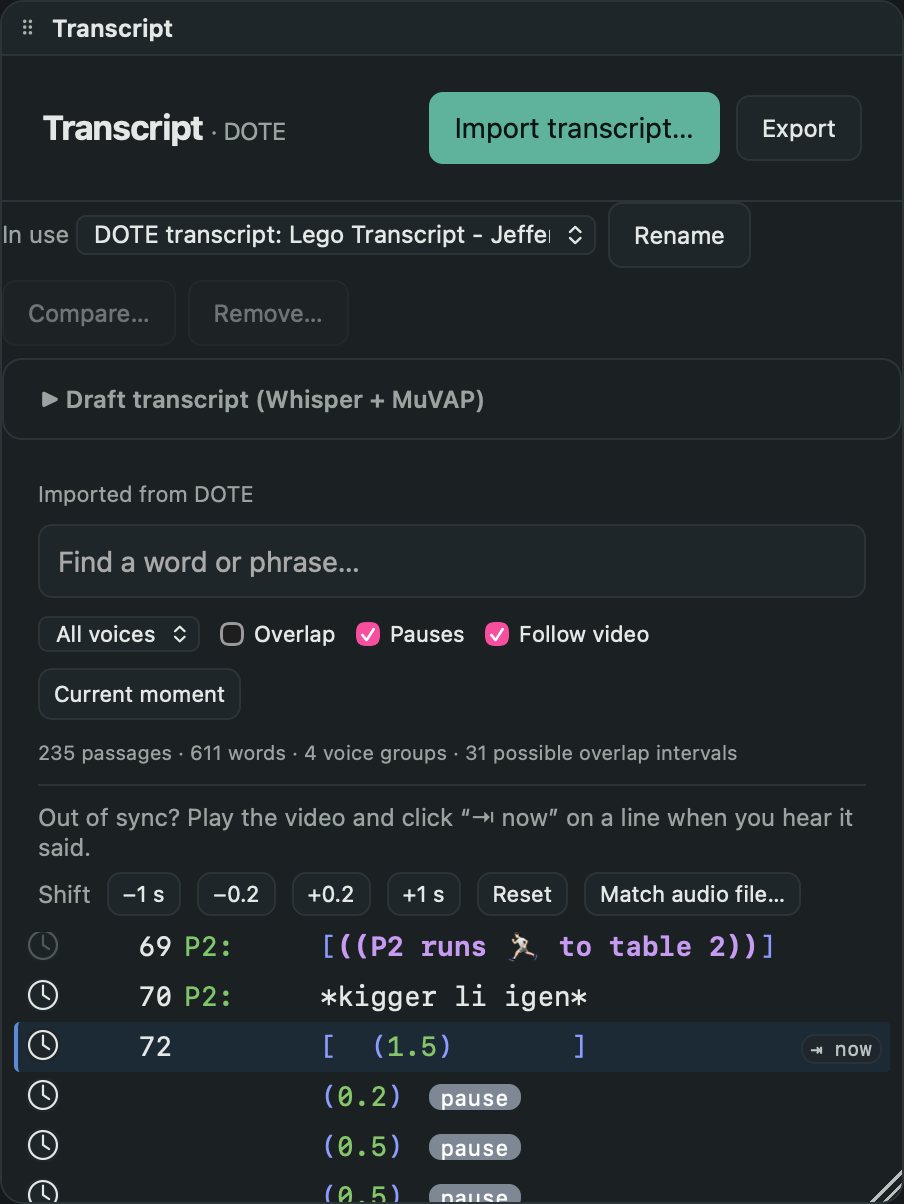
Transcripts, drafts and comparisons

Keep several transcripts of a recording, sync them to the video by sound or by ear, and compare two side by side. A draft transcript can be made with Whisper and MuVAP and exported to DOTE to correct.

Transcript panel in DOTE's style with Jeffersonian symbols, pauses and actions

Projects you can share

Save your place, transcript and analysis as a project, export it to a colleague, and reconnect the video on their Mac. Every change can be undone.

Boards and objects

Whiteboards and other shared surfaces, walk-ups and pointing at them, and objects people pick up, show and hand over.

Private by design

Recordings never leave your computer. The analysis models are downloaded once, from their publishers, and checked before use.

Approach

Candidates, not findings

EMCA Vision does not do the analysis. It proposes candidates: moments where gaze shifts, formations change or the floor passes to someone else, so that the analyst can find, compare and return to them faster. Every proposal is marked as exploratory and unverified until you have reviewed it, and the review is kept and can be exported. The rules behind each candidate are written down in plain language, with the thresholds used.

Download

Get started

  1. Download the app (a disk image, about 400 MB) and drag EMCA Vision to Applications.
  2. The first time, right-click the app and choose Open (it is not yet notarised by Apple).
  3. Under Analysis tools, download the models you need. Shared projects open without them.
  4. Open a recording (one video, a 360° video, or several cameras), or a project someone has shared with you.

Requires macOS 26 on a Mac with Apple silicon. Earlier versions: all releases.

Cite

How to cite EMCA Vision

Davidsen, J., & Paulsen, L. (2026). EMCA Vision (Version 0.8) [Computer software]. Aalborg University.

@software{davidsen_paulsen_emca_vision,
  author    = {Davidsen, Jacob and Paulsen, Lucas},
  title     = {EMCA Vision},
  year      = {2026},
  publisher = {Aalborg University},
  url       = {https://codeslayer84.github.io/emca-vision/}
}

Team

Who makes it

Jacob Davidsen

Aalborg University

ORCID 0000-0002-5240-9452

Lucas Paulsen

Aalborg University

ORCID 0000-0002-1504-8299

The app builds on open models and tools, among them RTMW whole-body pose, OSNet, OWLv2, CLIP, MuVAP (Qi et al., Interspeech 2026), Whisper, pyannote and WeSpeaker, each under its own licence.